
Comparison
Cowork vs Claude Code: which one for non-developers, and the third option
The threads say Cowork is "a VM of Claude Code with a GUI over it" and Claude Code "still feels like a developer tool" to a non-developer.
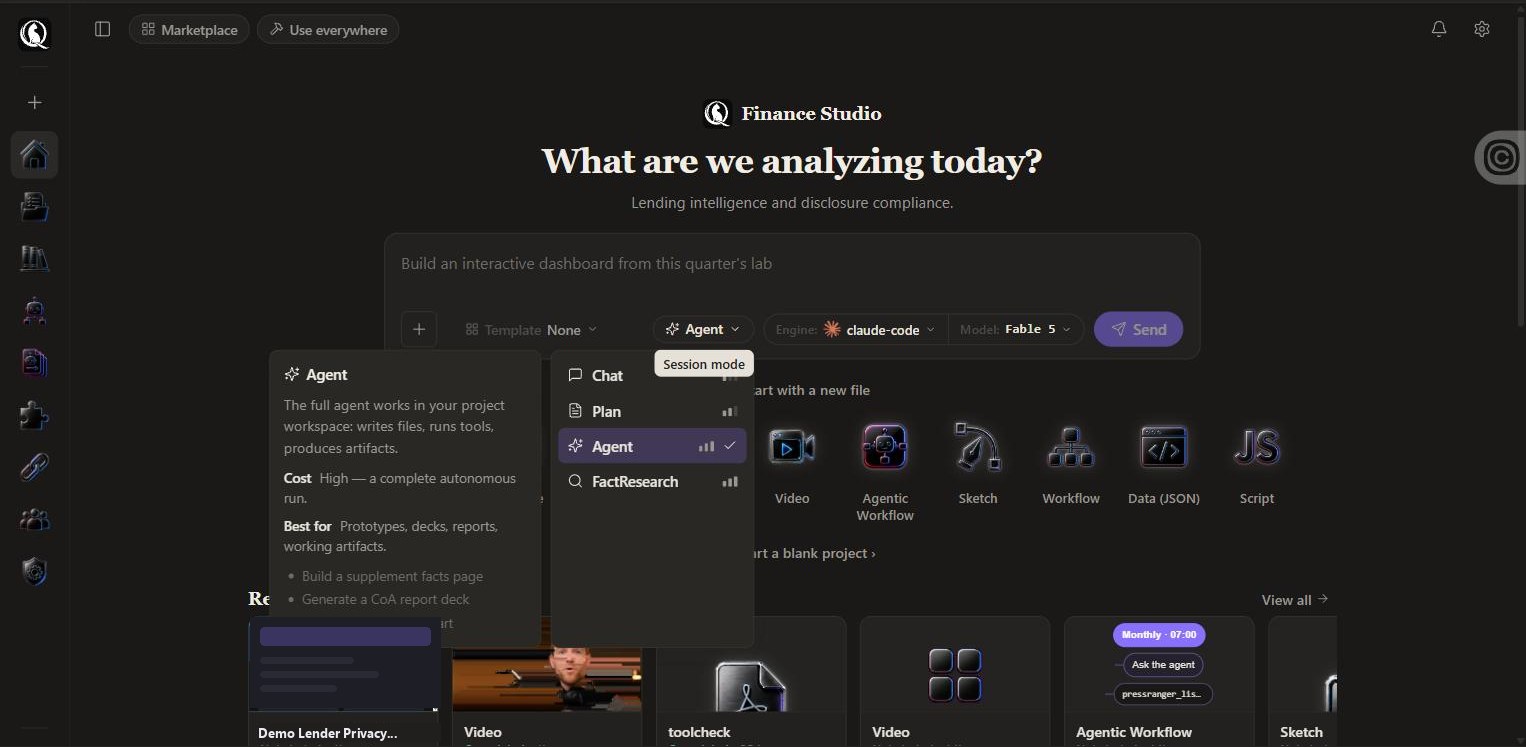
Claude Code is the terminal agent. Cowork is the same agent behind a desktop window, aimed at non-developers. QGI Studio is the third shape: a prompt box, a template gallery, the file, and a schedule that runs in the cloud.
No credit card. First file in under five minutes. Cancel anytime.
Three things that are different here.
- No terminal. A prompt box and a template that already works.
- The transcript shows every step, with timing, so a stalled run is visible.
- Turn any run into a schedule that keeps going with your laptop closed.
- What it costs: A first file in under five minutes on Free.
When to use which.
Stay with what you use if
- Claude Code: you are comfortable in a terminal and want the raw agent.
- Cowork: you want Claude’s desktop integration with your local files.
Use QGI Studio if
- You want the deliverable, versioned and shareable.
- You want it to run every week without the desktop open.
- You want to switch engines per run, including your own keys.
Plain answers.
- Can I still use Claude models?
- Yes. The claude-code engine runs on your Anthropic key on any plan.
- Does QGI Studio need anything installed?
- No. It runs in the browser and in the cloud.
- Do I need a credit card to start?
- No. Free needs no card. When Free is full you can join the list or start Founder with 14 days free.
- Can I bring my own API key?
- Yes, on every plan. Runs on your key go to your vendor at their price. We add nothing, and your key never hits a usage limit.
Try it on your own file.
No credit card. First file in under five minutes. Cancel anytime.