
The AI agent workspace that builds the file and runs it every week.
Ask for a deck, a sheet, a page, a script or a report and get the file back, not a paragraph. Turn any run into a schedule that keeps going when your laptop is closed. Simpler than Cowork. Lighter than Lovable.
No credit card. First file in under five minutes. Cancel anytime.
One prompt box. Say what should exist, or what should happen every week.
An agent that builds the deliverable, not just the answer.
QGI Studio is an AI agent workspace for people who run their own work. Every run happens inside a project with real files: the agent writes them, previews them, runs them, and hands you something you can open, edit, version and share.
One studio for the deck, the page, the sheet, the script and the weekly automation. One bill.
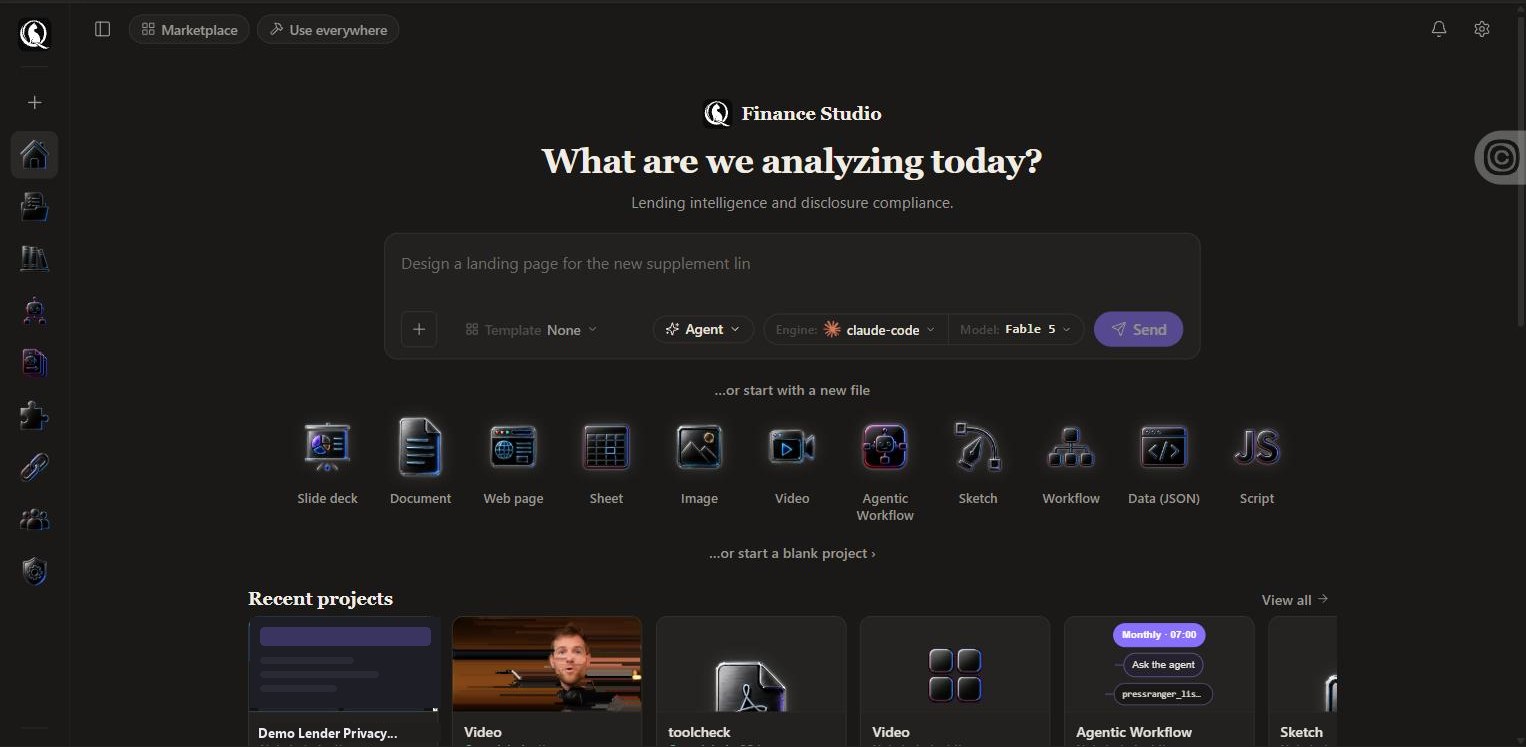
A script on your own key. A deck from a doc. Reminders that wait for you.
Builder, founder, solo business. Each example shows the prompt, what came back, and what it cost.
- Builder
A script that checks GitHub issues every hour, on your own key.
“Every hour, read new issues in acme/app, label them by area, and post a one-line summary to #eng.”
The transcript shows each tool call with its timing. The cron is set from the same run. Runs on your Anthropic key.
Cost: About $0.03 a run on your key. Nothing from your plan.
- Founder
A deck from a Notion doc, in your palette, as an editable file.
“Turn this Notion doc into a 10-slide investor deck in our palette. Export .pptx.”
Content from your document, narrative from the template, design from the theme. Every slide is editable and every run is a version.
Cost: One run on Founder. Edit any slide, re-export, no second run.
- Solo business
Every Tuesday, reminders for unpaid invoices, waiting for your approval.
“Every Tuesday at 09:00, read overdue invoices in QuickBooks, draft a polite reminder for each, and wait for me.”
The drafts sit in the run with an approve button. Nothing is sent until you say. The log keeps every run, its inputs and its outputs.
Cost: Runs comfortably inside Founder. QuickBooks connects from the marketplace.
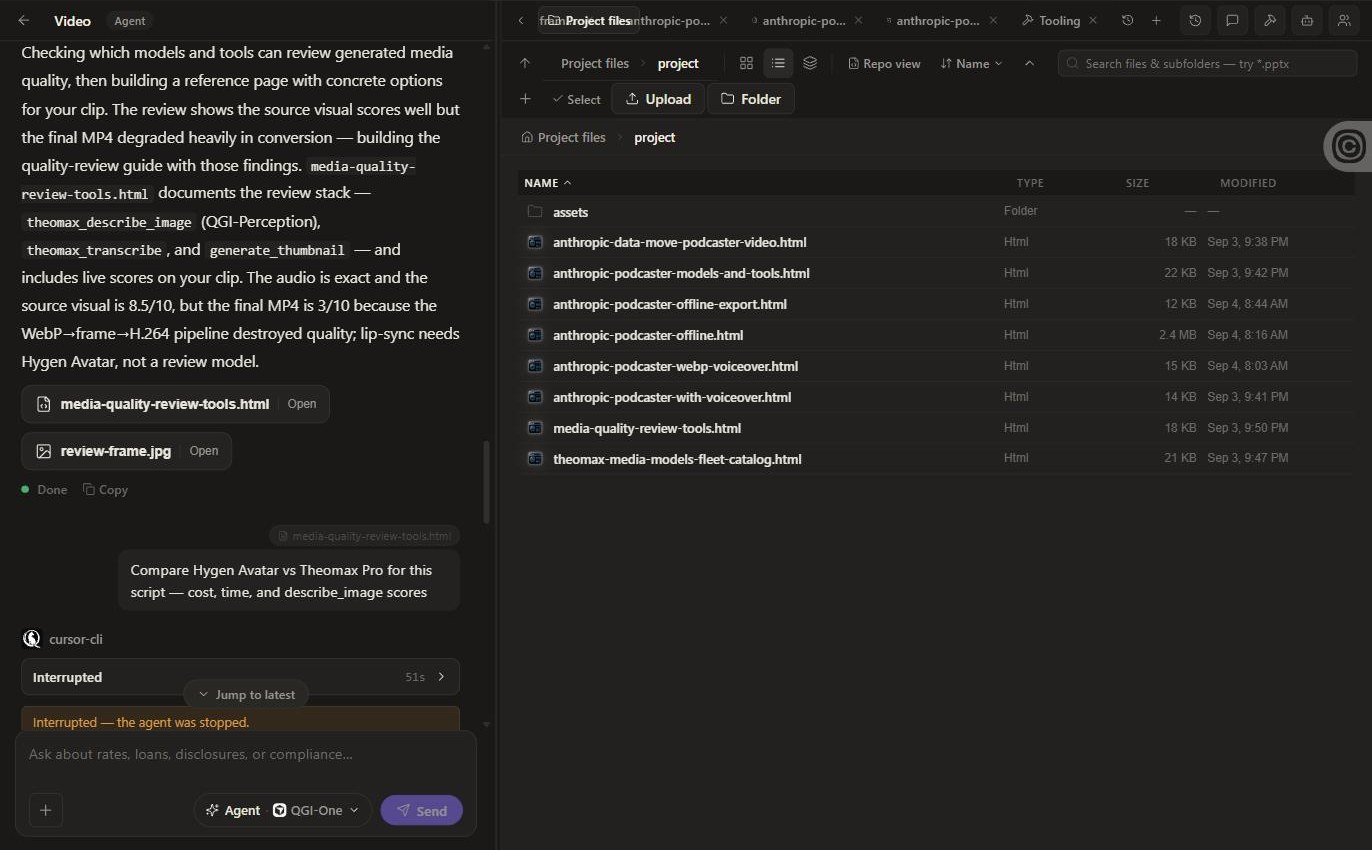
A prompt goes in. A file comes out. Everything in between is visible.
Left: the agent’s transcript, with each tool call, its timing and its result. Right: the live file with Preview, Code and Edit tabs and device previews. Every run is a version you can name and roll back to. If a run stalls, you see where.
Start from a template that already works. Change one sentence. The first file lands in minutes, and the transcript shows how it got there.
Connect Notion, Gmail, Sheets, Slack, GitHub and QuickBooks. Add an MCP server once.
Add an MCP server once, with its credentials stored encrypted, and it joins every project you start. No JSON, no pasting keys into config files.
- Notion
- Gmail
- Google Sheets
- Slack
- GitHub
- QuickBooks
- and thousands more from the marketplace
Runs in the cloud on your schedule. Close the laptop.
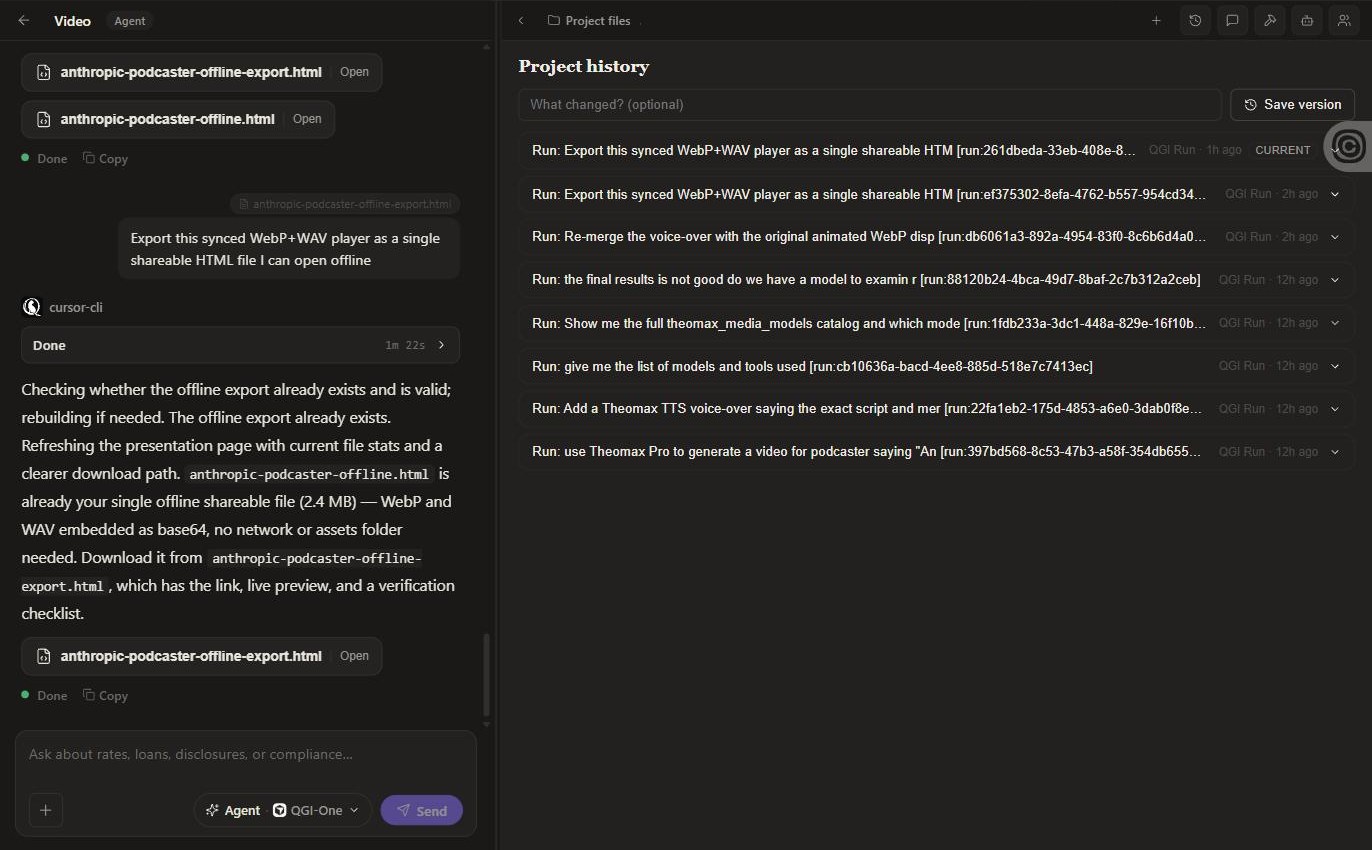
Every run is logged with its inputs and outputs. When an API changes, you see which step broke and rerun from there. Anything that sends or posts can wait for your approval.
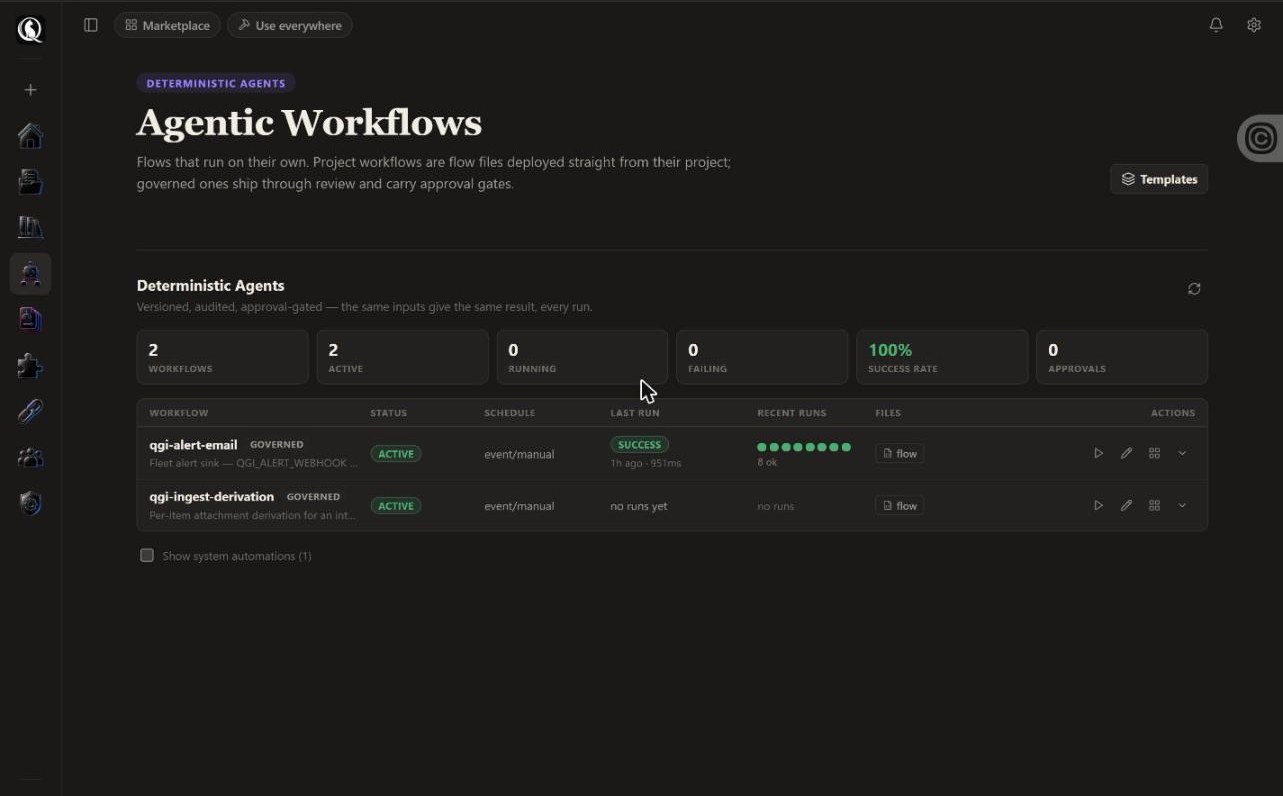
Deterministic Agents
Versioned, audited, approval-gated. The same inputs give the same result, every run.
| Workflow | Status | Schedule | Last run | Recent runs | Files | Actions |
|---|---|---|---|---|---|---|
qgi-alert-emailGoverned Fleet alert sink: QGI_ALERT_WEBHOOK | ACTIVE | event/manual | SUCCESS 1h ago · 951ms | 8 ok | flow | |
qgi-ingest-derivationGoverned Per-item attachment derivation for an intake | ACTIVE | event/manual | no runs yet | no runs | flow |
A replica of the dashboard as captured on 2026-09-04. Numbers belong to the captured tenant, not to a benchmark.
The automations dashboard: status, schedule, last run, recent runs, files.
Run on QGI One, or bring your own key. Your key never hits a usage limit.
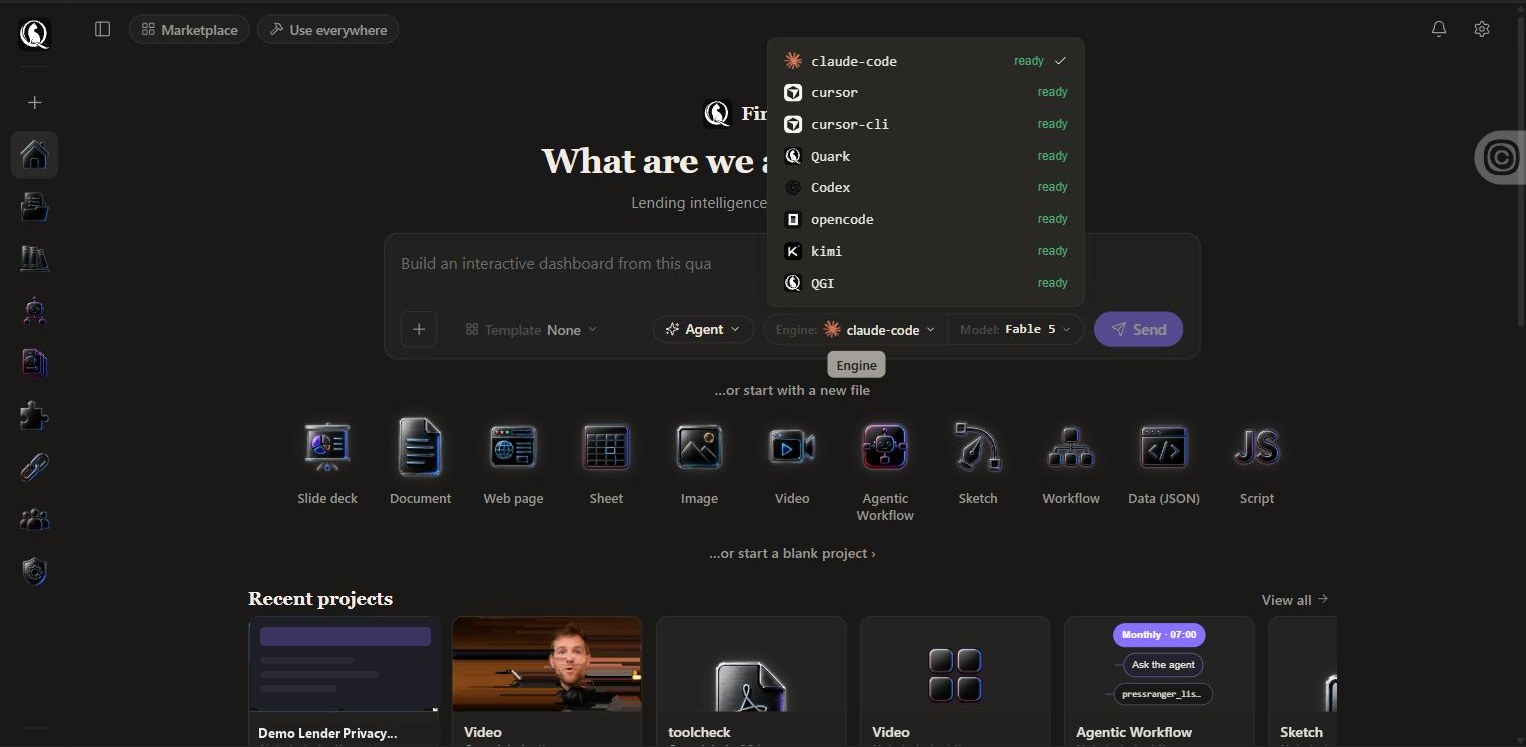
QGI engines run on your plan: QGI One, Quark, QGI-Symbolic. Your keys run claude-code, Codex, cursor / cursor-cli, kimi, opencode. Switch per run, from the prompt bar.
Runs on your keys go straight to your vendor at their price. We add nothing. Your own key never hits a usage limit.
No tasks, no credits. See what each run cost.
- Free$0no card
- BYK$8.99per month
- Founder$20per month
- Pro$60per month
- Pro Max$189per month
When your included usage is gone you keep going at the same rates, or stop at the cap you set. Nothing slows down. We tell you at 75% and 90%.
Here is when to use each.
| Tool | What people say | QGI Studio | Compare |
|---|---|---|---|
| Claude Cowork | Runs on your desktop, stalls when it thinks, needs the app open to run a schedule. | Runs in the cloud, shows every step, keeps going with your laptop closed. | Compare |
| Lovable | Builds whole apps and burns credits doing it, even for a page. | A page, a deck, a sheet, a script or an automation. No credits. | Compare |
| Zapier and n8n | Per-task pricing that punishes growth, or a canvas that takes a week to learn. | A sentence, a template, a schedule, a log. No tasks, no nodes. | Compare |
| OpenClaw | Yours to host, patch and babysit. | Already on, 24/7, with a log and an approval step. | Compare |
One prompt box to a finished file.
A silent tour of the studio: home, session modes, engines, a dashboard, the transcript, versions, tooling, automations, the marketplace.
Forty-eight seconds, fourteen screens, no audio. Loads when you press play.
Plain answers.
- What is QGI Studio?
- An AI agent workspace for people who run their own work. You describe the deck, sheet, page, script or report you need; the agent builds the file, shows every step, and can run the same job on a schedule in the cloud.
- How is it different from Claude Cowork or ChatGPT?
- Those give you an answer in a chat, on your machine. QGI Studio gives you the file, in a project you can version and share, and keeps running the job with your laptop closed.
- How is it different from Lovable or Replit?
- They build whole apps and charge credits for every fix. QGI Studio makes the file or the automation you actually needed, with no credits.
- Do I need to know how to code?
- No. A prompt box, a template gallery and the file. Builders can bring their own engines and MCP servers; nobody has to.
- Can I use my own API keys?
- Yes, on every plan including BYK at $8.99. Runs on your keys go to your vendor at their price with nothing added.
- What does it cost?
- Free to start, no card. BYK $8.99, Founder $20, Pro $60, Pro Max $189 a month. No tasks, no credits; usage is shown in dollars before and after each run.
The same studio can wear a vertical.
A vertical decides the templates, tools and art a group of people sees. TheoSym Platform is the studio for small and service businesses. Financial Studio at QGI is the studio for regulated finance.
What are we building this week?
No credit card. First file in under five minutes. Cancel anytime.