
Schedules
Cowork scheduled tasks need the desktop open. Here is how to run one in the cloud
Users ask whether they can schedule Cowork tasks monthly, report the Scheduled tab vanishing, and find that a task "will run automatically only when the desktop app is open".
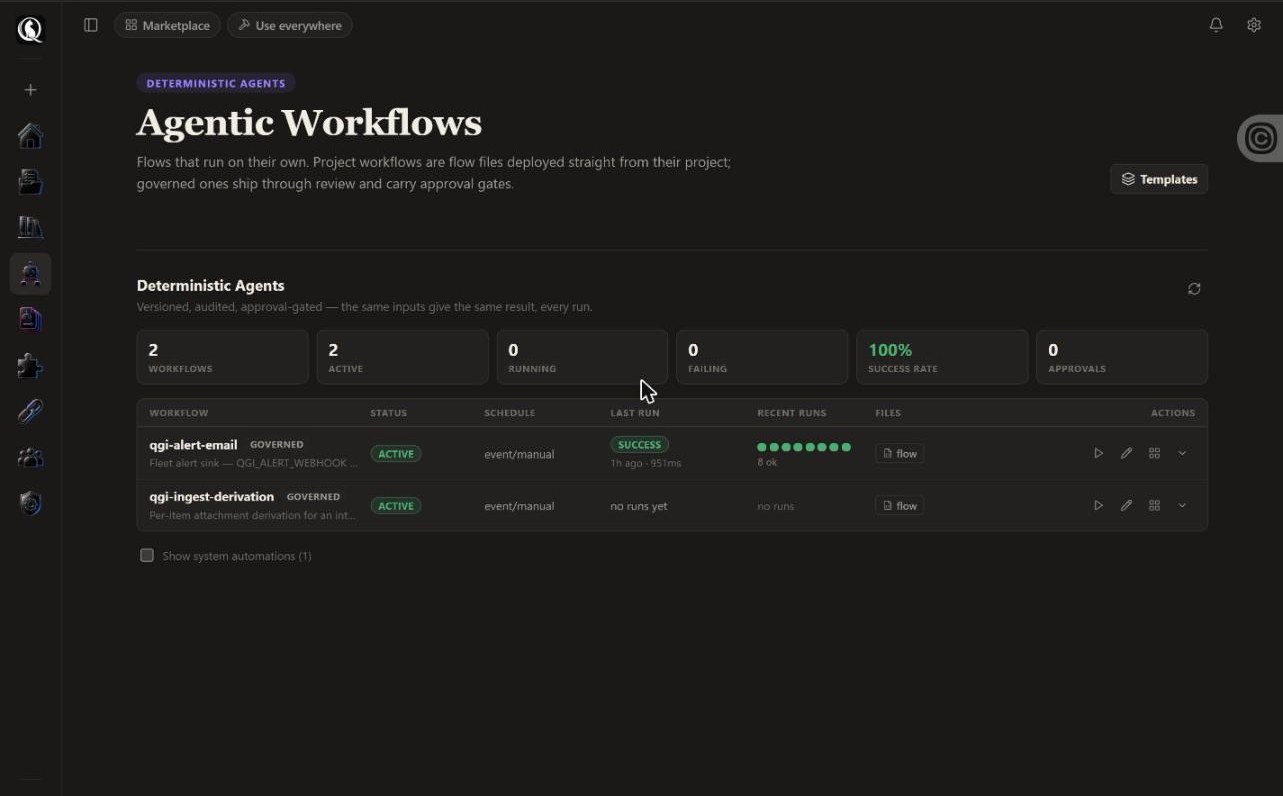
A schedule that depends on a laptop is a reminder, not an automation. In QGI Studio any run becomes a scheduled automation that executes in the cloud, keeps a log of every run, and can wait for your approval before it sends anything.
No credit card. First file in under five minutes. Cancel anytime.
Three things that are different here.
- Cadence from the same prompt bar: hourly, daily, Mondays at 08:00, monthly.
- A log with inputs, outputs, duration and outcome for every run.
- An approval step for anything that leaves the building.
- What it costs: Scheduled automations are included from Founder.
Plain answers.
- What happens if a run fails?
- It is logged with the step that failed. You fix the step and rerun from there.
- Can it post the result somewhere?
- Yes: Slack, email, a webhook, a sheet, or a file in the project.
- Do I need a credit card to start?
- No. Free needs no card. When Free is full you can join the list or start Founder with 14 days free.
- Can I bring my own API key?
- Yes, on every plan. Runs on your key go to your vendor at their price. We add nothing, and your key never hits a usage limit.
What are we building this week?
No credit card. First file in under five minutes. Cancel anytime.